UI / UX Philosophies
My core design principles and philosophies that guide every project I work on.
UX Design Starts With the Team
UX / Product design is not just about the end user; it starts with your internal team. Without their understanding and buy-in, it's tough to implement consistent design.
I believe the following core principles typically lead to success on any team I work with.
1. Build Trust and Empathy with Your Team
Your teammates are your first users. Understand their roles, challenges, and feedback.
2. Explain the 'Why' Behind Your Decisions
Don't just present solutions — share the reasoning. This increases team buy-in.
3. Establish Feedback Loops
Engage the team early and often to create shared ownership.
4. Educate the Team on UX Principles
Not everyone knows UX basics. Hold informal sessions on core principles like usability and feedback loops.
5. Foster an Inclusive Culture
Encourage everyone to share ideas, regardless of role.
6. Be Ready to Adapt
Expect some resistance if the team isn't familiar with UX. Be patient and show flexibility as they adjust.
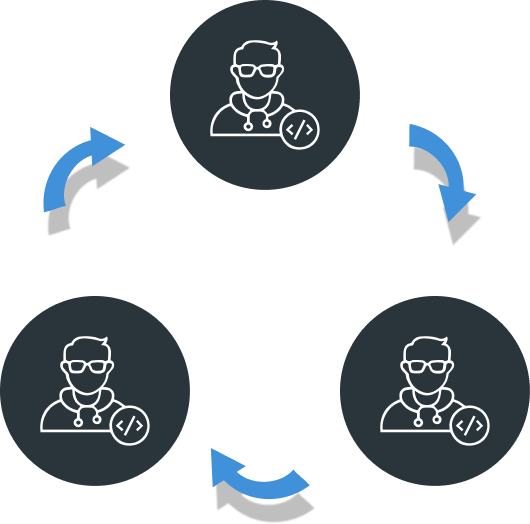
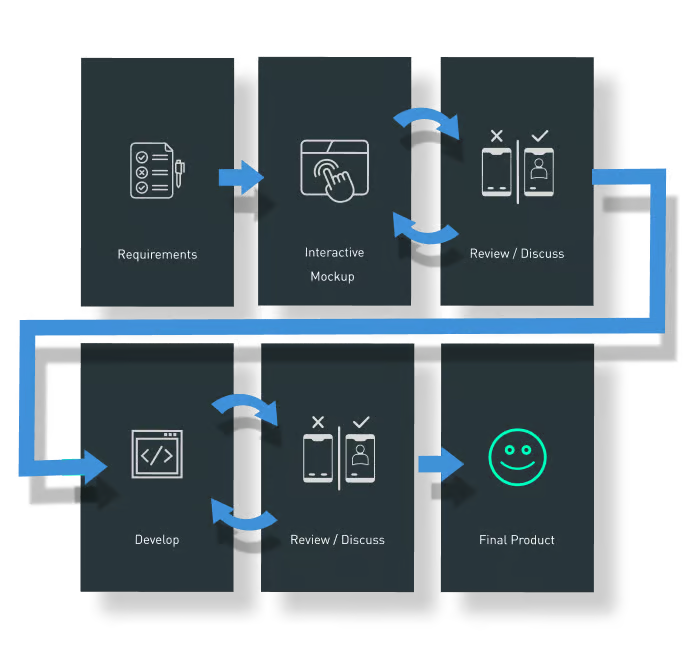
Pick a Process Based on the Situation
Every project is unique, so adapting your process is key. Gauge your client's understanding of product development and clearly communicate each step. This sets expectations and ensures clients feel included and confident their input will shape the end result.
Sketch It Out So Everyone Understands
One of my favorite tools for aligning everyone quickly is sketching what someone is describing. It's the fastest way to confirm understanding or clarify a request. Sketching introduces a universal language that transcends written, verbal, or cultural barriers. It cuts through misunderstandings and gets ideas across more effectively, regardless of background or spoken language.
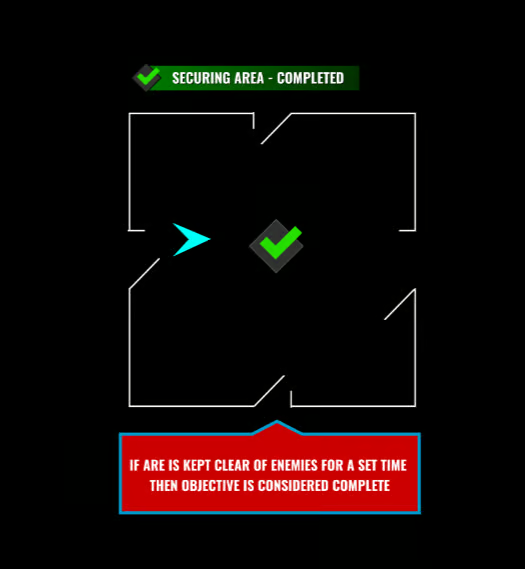
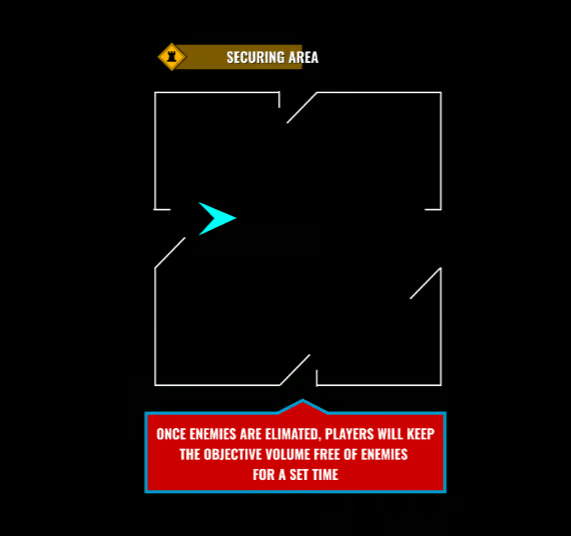
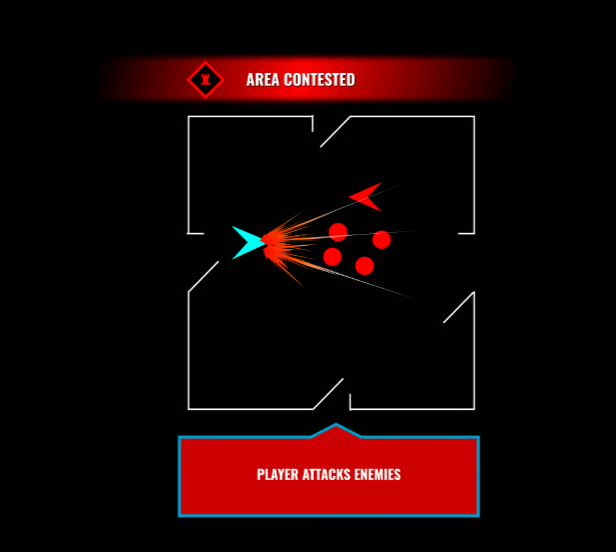
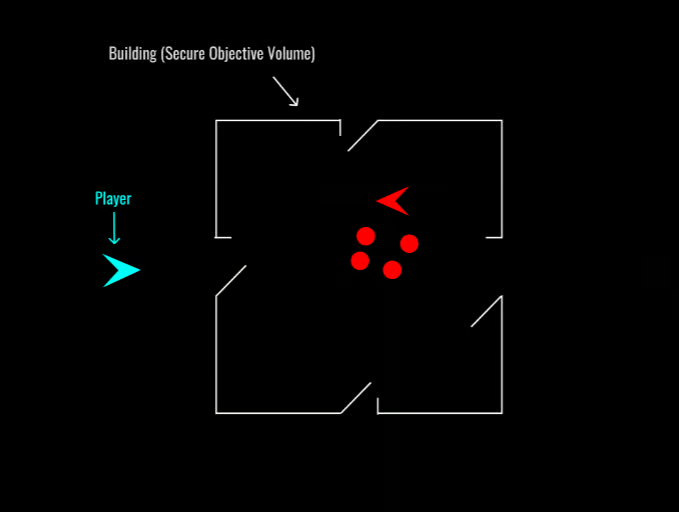
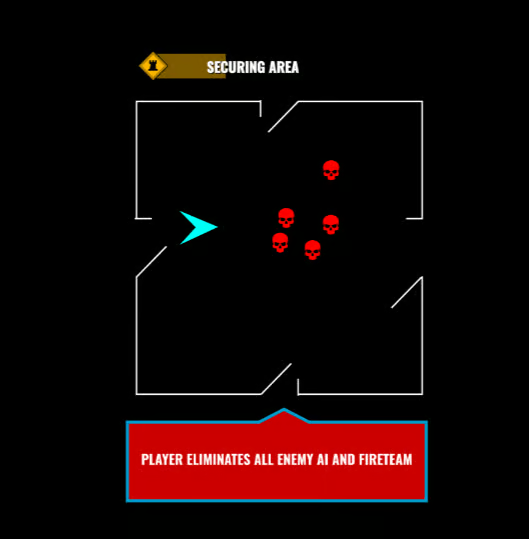
In the example to the right, the game director approached me with the following verbal description:
"Here's the plan: the player enters a room, has to kill all the enemies, and then stay there for a set amount of time to secure it. We need some UI and UX elements to make this clear. I need this ready in about five minutes."
One of my go-to methods is to first sketch the concept as a storyboard or cartoon strip. Then, I create a simple animation to illustrate each step in sequence, making the idea clearer and easier to understand.
Flow Charts from the Sketches
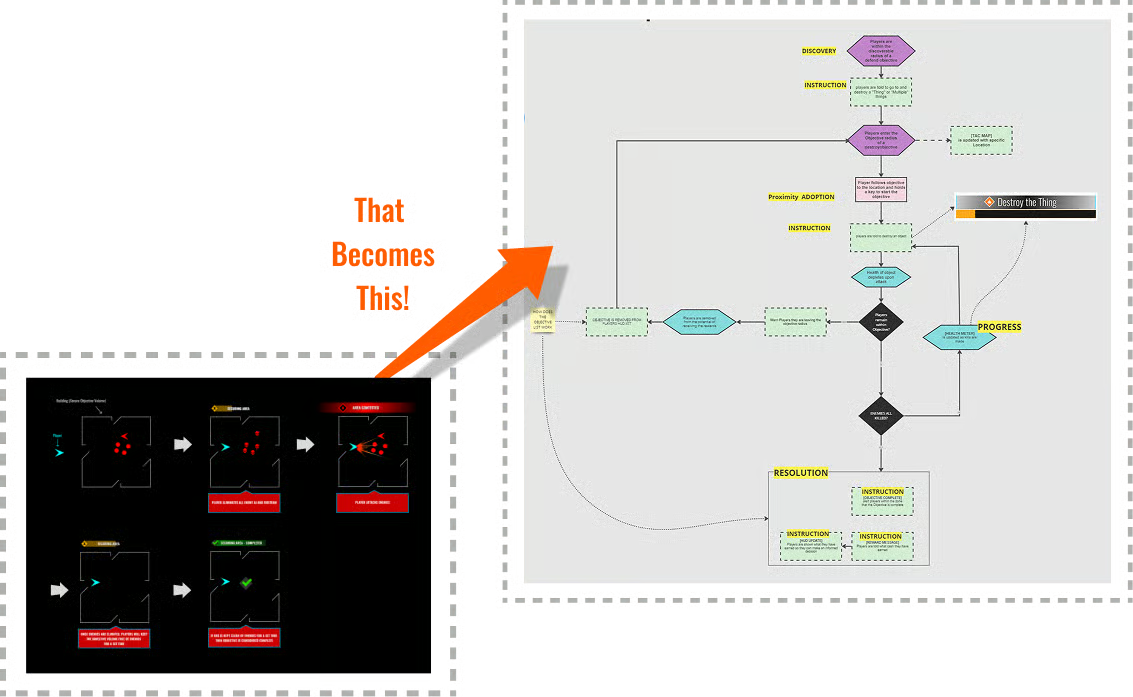
Once the idea is conveyed through sketching, the next step is typically creating a flow chart from those sketches.
This helps clarify the consequences of the discussed ideas. For example, it can highlight when players should be notified that an event has ended or started, helping define the timing and context of interactions.
This approach applies to both game and app design, ensuring clear user flows and decision points.
Flowcharts are especially useful, as they communicate effectively with developers, product owners, and designers alike. They play a vital role in vetting and validating concepts without diving into heavy development.
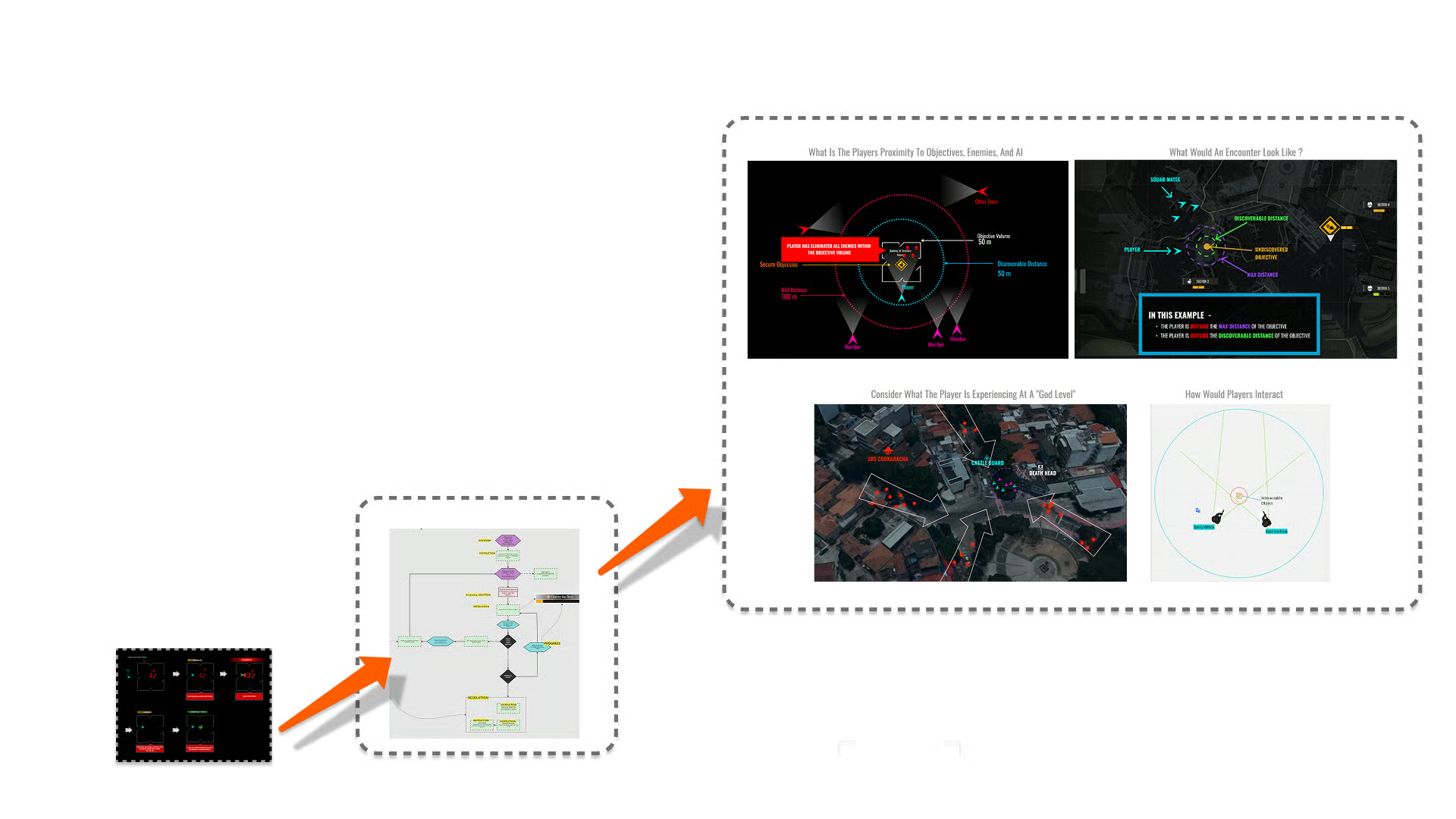
Evaluate the Flow with Technical Sketches
Technical drawings, such as system diagrams or user journey maps, are crucial in evaluating and refining flow charts.
They provide a visual representation of how a user or player interacts with the broader system, helping to identify gaps or inefficiencies in the flow.
By mapping out the entire experience, technical drawings offer insights that refine the flow chart, ensuring that the sequence of actions is logical, intuitive, and free of unnecessary complexity.
This holistic view helps ensure the flow chart aligns with the user's needs and the system's functionality.
Click Throughs from FlowCharts
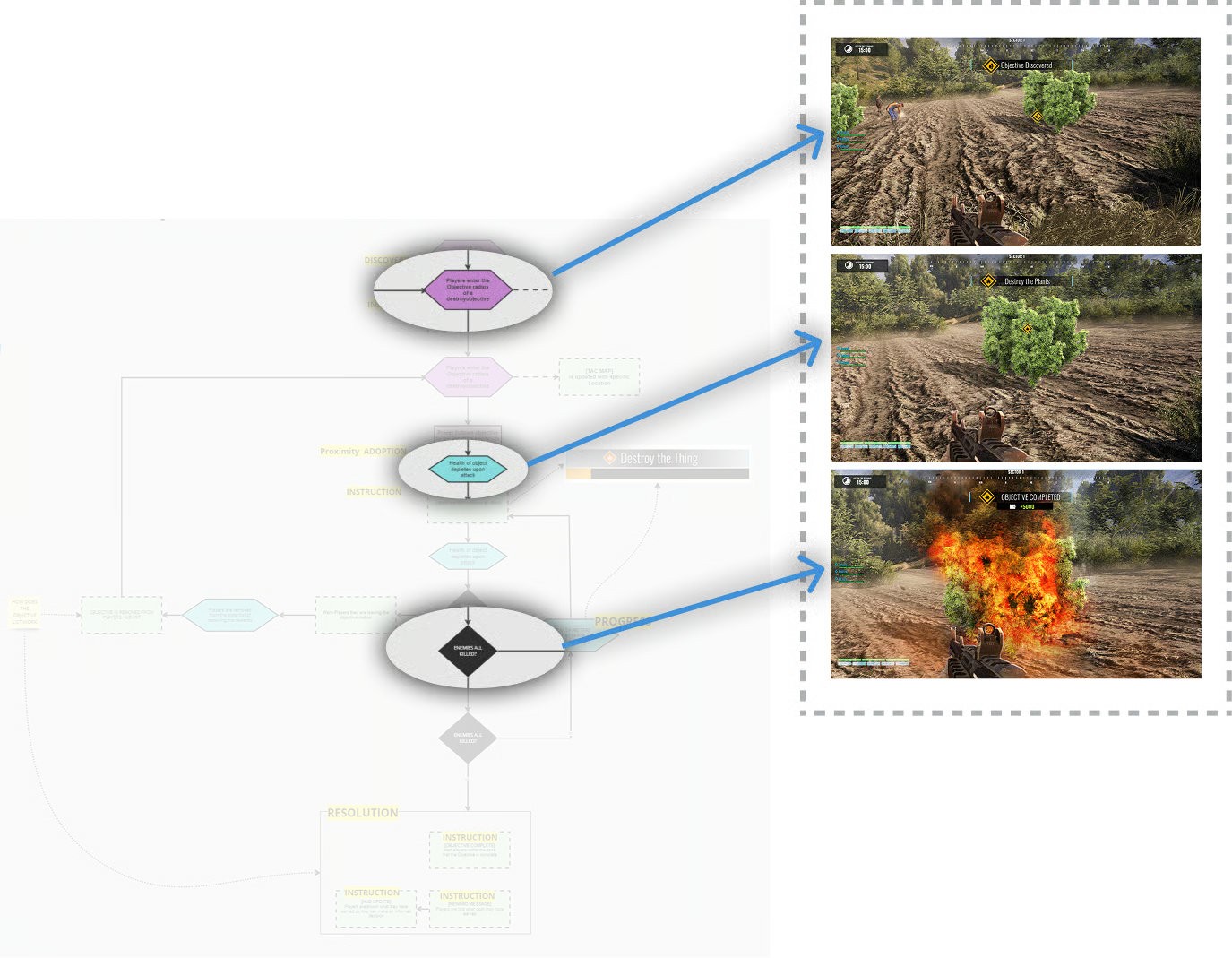
During my time at New Worlds Games, it was essential to communicate fluidly with both the logical and the artistic — often the same individuals shifting roles.
Adopting the player's point of view was key in surfacing missing UI and UX events that might otherwise be overlooked.
Click-throughs played a critical role in aligning designers, developers, and stakeholders by removing the need to imagine the player experience, instead offering a shared, tangible walkthrough of how the game actually feels in action.
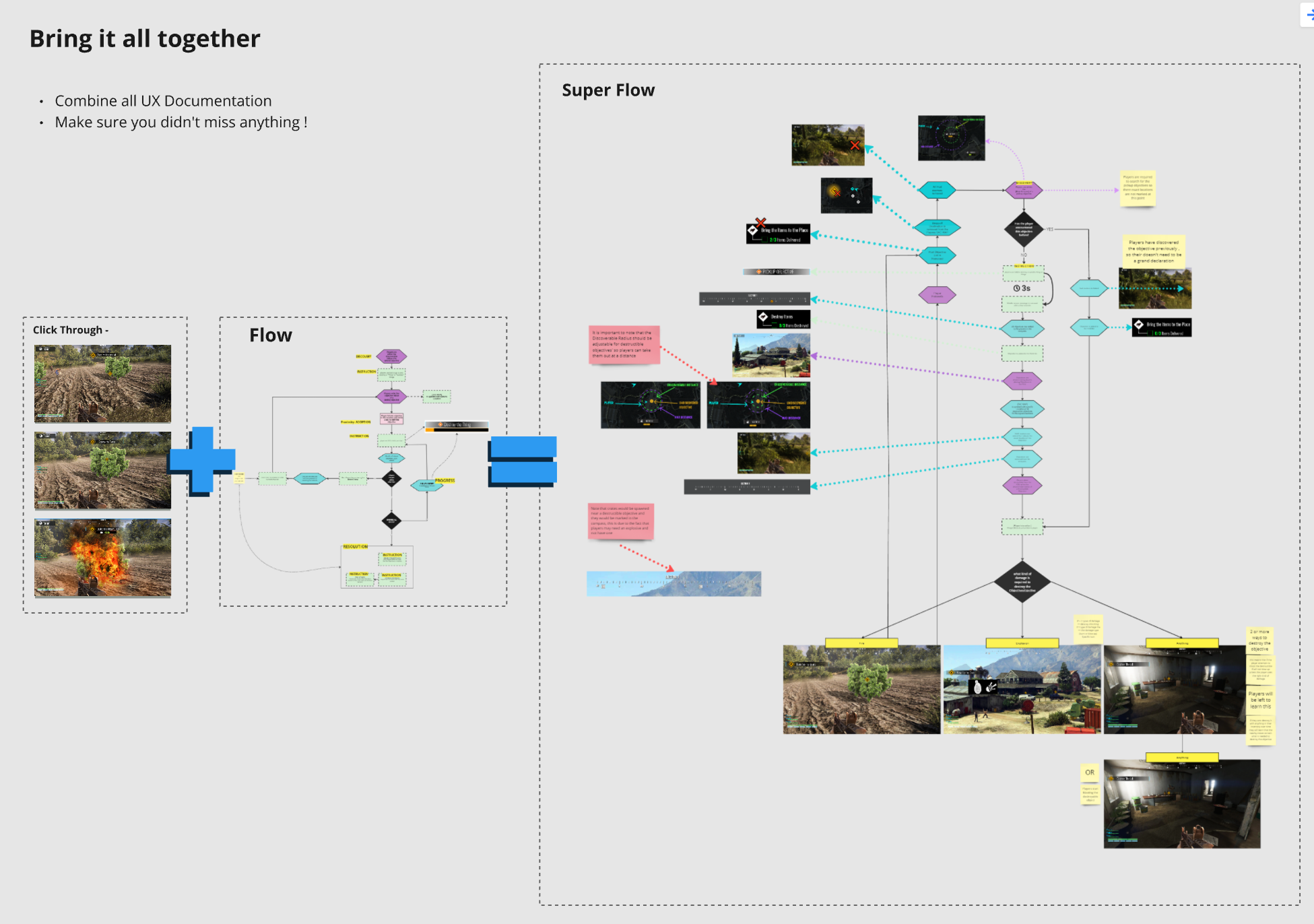
Super Flow - Putting It All Together
During my time at New Worlds Games, it was essential to communicate fluidly with both the logical and the artistic — often the same individuals shifting roles.
Adopting the player's point of view was key in surfacing missing UI and UX events that might otherwise be overlooked.
Click-throughs played a critical role in aligning designers, developers, and stakeholders by removing the need to imagine the player experience, instead offering a shared, tangible walkthrough of how the game actually feels in action.
Document It
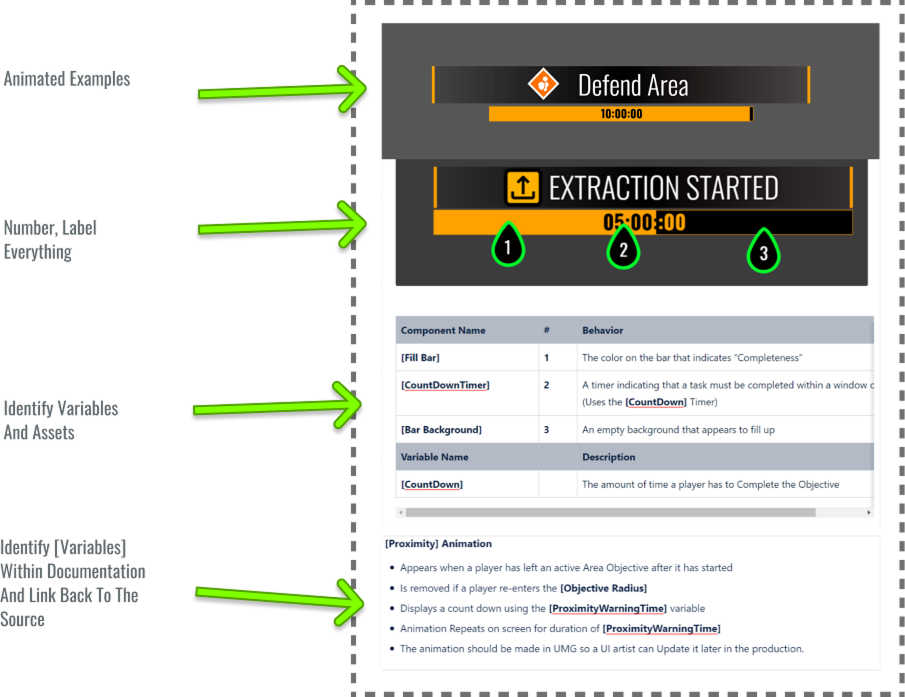
"Who is it for and can I work with them to figure out what works best for them."
Much like writing, a wide array of documentation styles exist. Start by identifying your audience and tailoring your approach to their needs. The key is understanding your reader and adapting your format for clarity and effectiveness. Always keep the end user in mind.
Play Testing
During my time at New Worlds Games, it was essential to communicate fluidly with both the logical and the artistic — often the same individuals shifting roles.
Adopting the player's point of view was key in surfacing missing UI and UX events that might otherwise be overlooked.
Click-throughs played a critical role in aligning designers, developers, and stakeholders by removing the need to imagine the player experience, instead offering a shared, tangible walkthrough of how the game actually feels in action.
Tune and Tweak
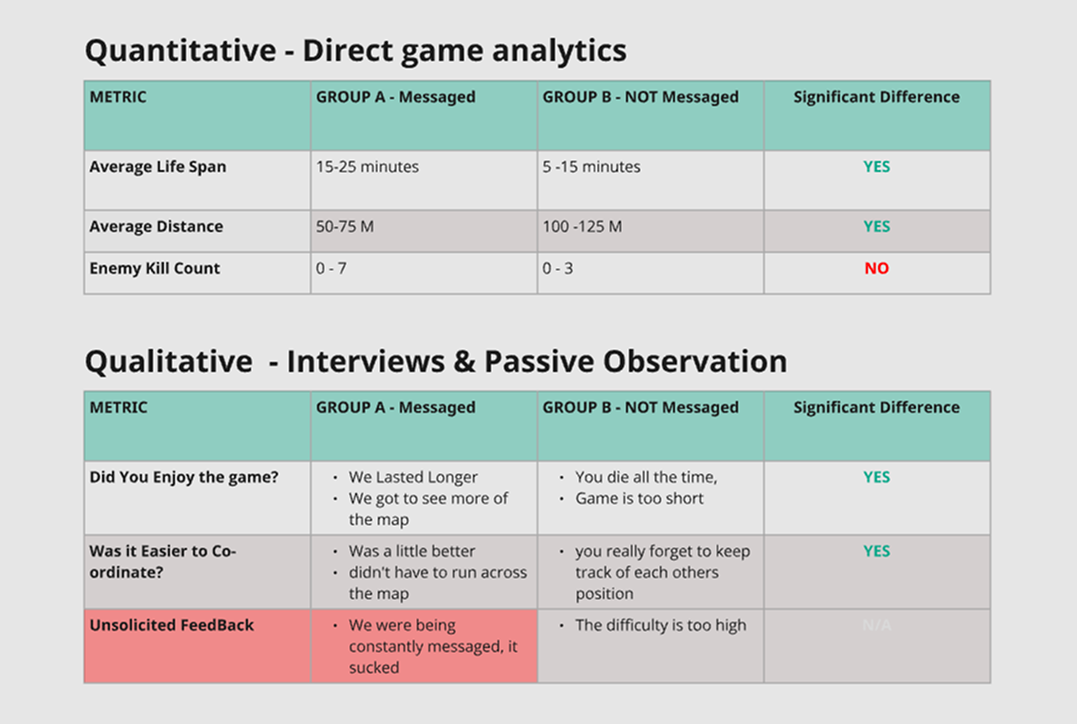
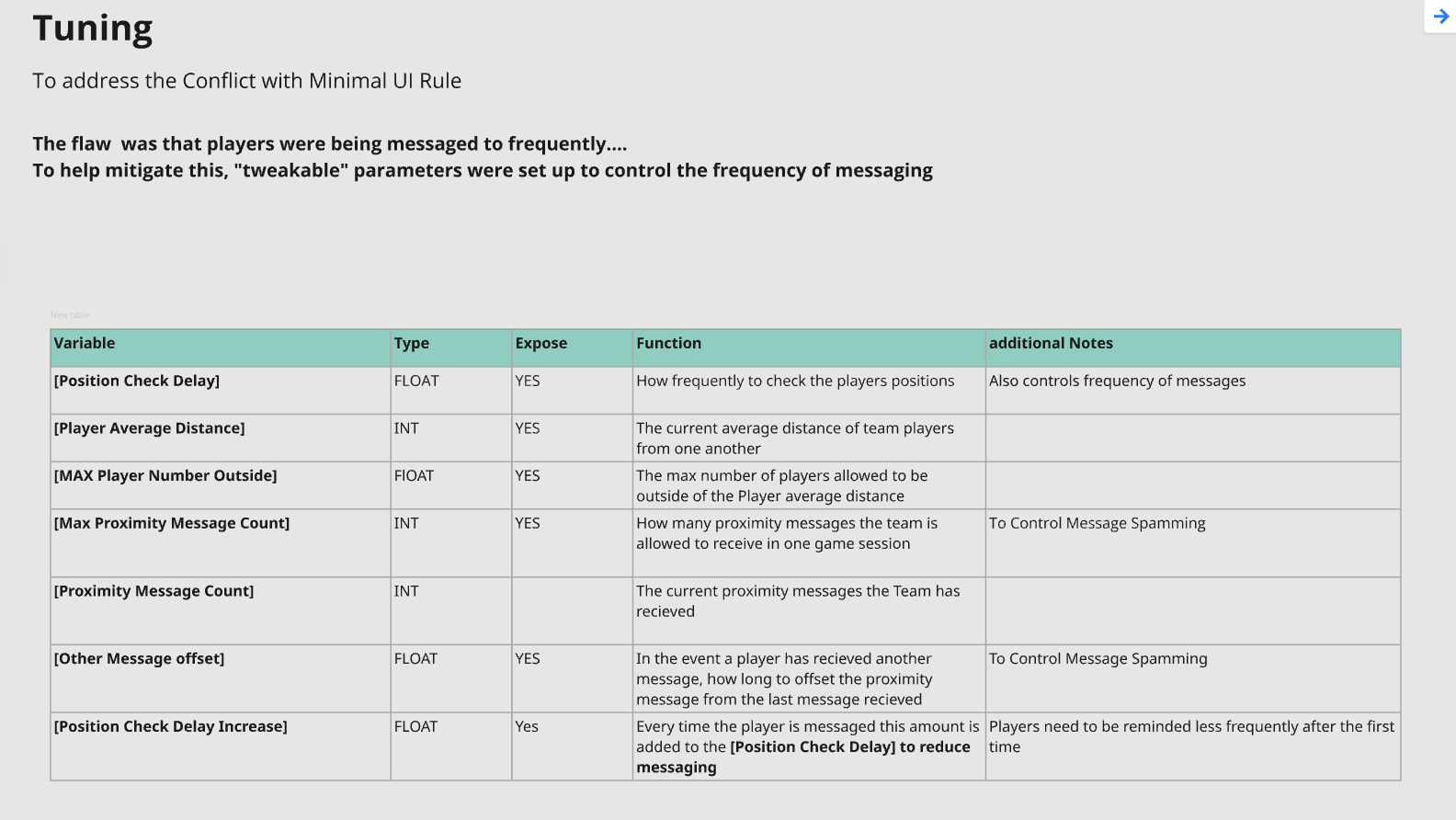
After playtesting, the next step is figuring out how to improve it by pinpointing specific things to tune. Instead of scrapping everything—whether it succeeded or failed—look for the exact moments where players hesitated, got confused, or disengaged, and trace those back to particular elements like timing, clarity, feedback, or control. The goal is to identify what's causing those reactions and make targeted adjustments within your existing framework, rather than broad changes.
Ready to Collaborate?
I'd love to bring this process to your next project. Let's create something exceptional together.
Get In Touch