What have I been up to lately
Since YVR
When my contract at YVR ended, I didn't stop. I couldn't.
Working at an airport-scale Unity project exposed something I couldn't unsee — a fundamental disconnect between how designers work and how Unity expects to receive that work. The tools were too far apart. The process was costing everyone time they didn't have.
So instead of moving on, I went deeper. The last four months have been spent building Unifig — not as a side project, but as a serious answer to a problem I lived through firsthand. It's the pipeline I wish had existed when I needed it.
What you'll find below is where that work has landed.
Unifig
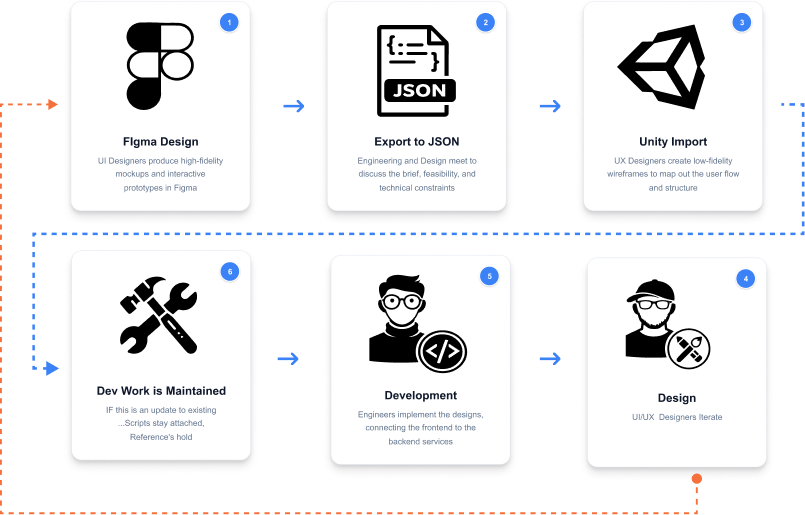
Unifig is a custom Unity importer pipeline. You design your UI in Figma — layouts, buttons, icons, screens — and Unifig converts it directly into production-ready Unity prefabs.
No manual rebuilding. No translation layer. No drift between what was designed and what ships.
The design file is the source of truth. Unity receives it as working, wired, runtime-ready UI — buttons responding to input, screens transitioning on click, icons rendering at full fidelity, layouts scaling to any resolution.
It's the bridge between two tools that were never designed to talk to each other.
Why Unifig Exists
At YVR we were building Unity UI for real-time flight systems — gate boards, data overlays, live information panels. The scale demanded efficiency. That meant Unity's base uGUI components, no exceptions.
The problem wasn't Unity. The problem was the gap between Unity and Figma. Every design iteration meant a developer rebuilding layouts by hand. Figma was a reference document, not a source of truth. The pipeline was broken by design.
The Problem
Unity's legacy UI system has no concept of Figma's components, auto-layout, or variant system. Getting designs across means one of two things:
Rebuild everything manually every iteration
Accept that your runtime UI will drift from your designs
In data-heavy environments like airports, dashboards, and real-time systems, that drift is constant. The design changes. The developer rebuilds. Repeat.
The Pipeline
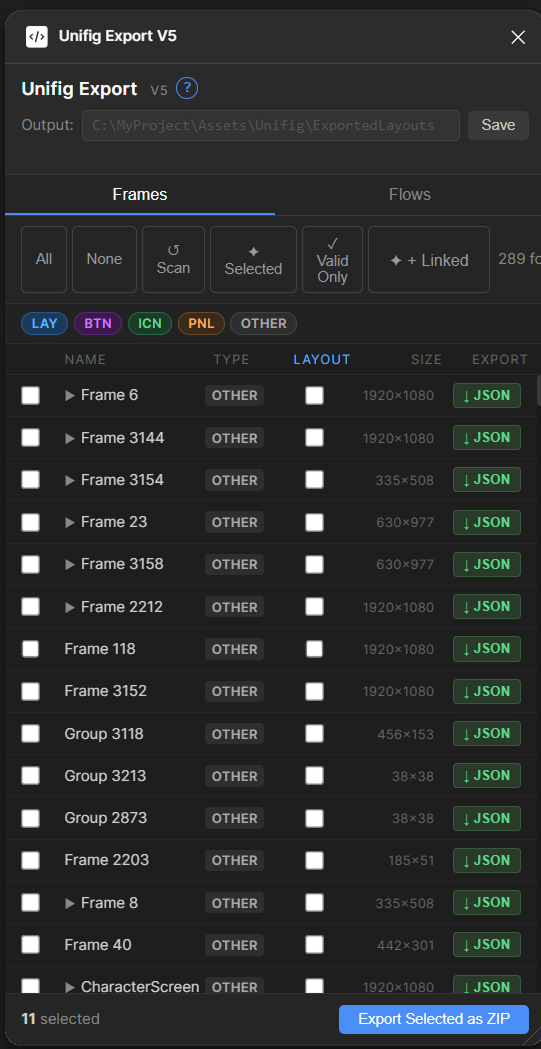
Robust Figma Plugin
A robust Figma plugin handles the export, converting designs to JSON files. It finds nested components and dependencies automatically, resolving the full component tree so nothing is missed on export.
Detailed Import Review Window
A detailed importer window gives you full visibility and control before anything is written to your project. Review exactly what is being imported, what is changing, and what is staying the same — nothing happens without your confirmation.
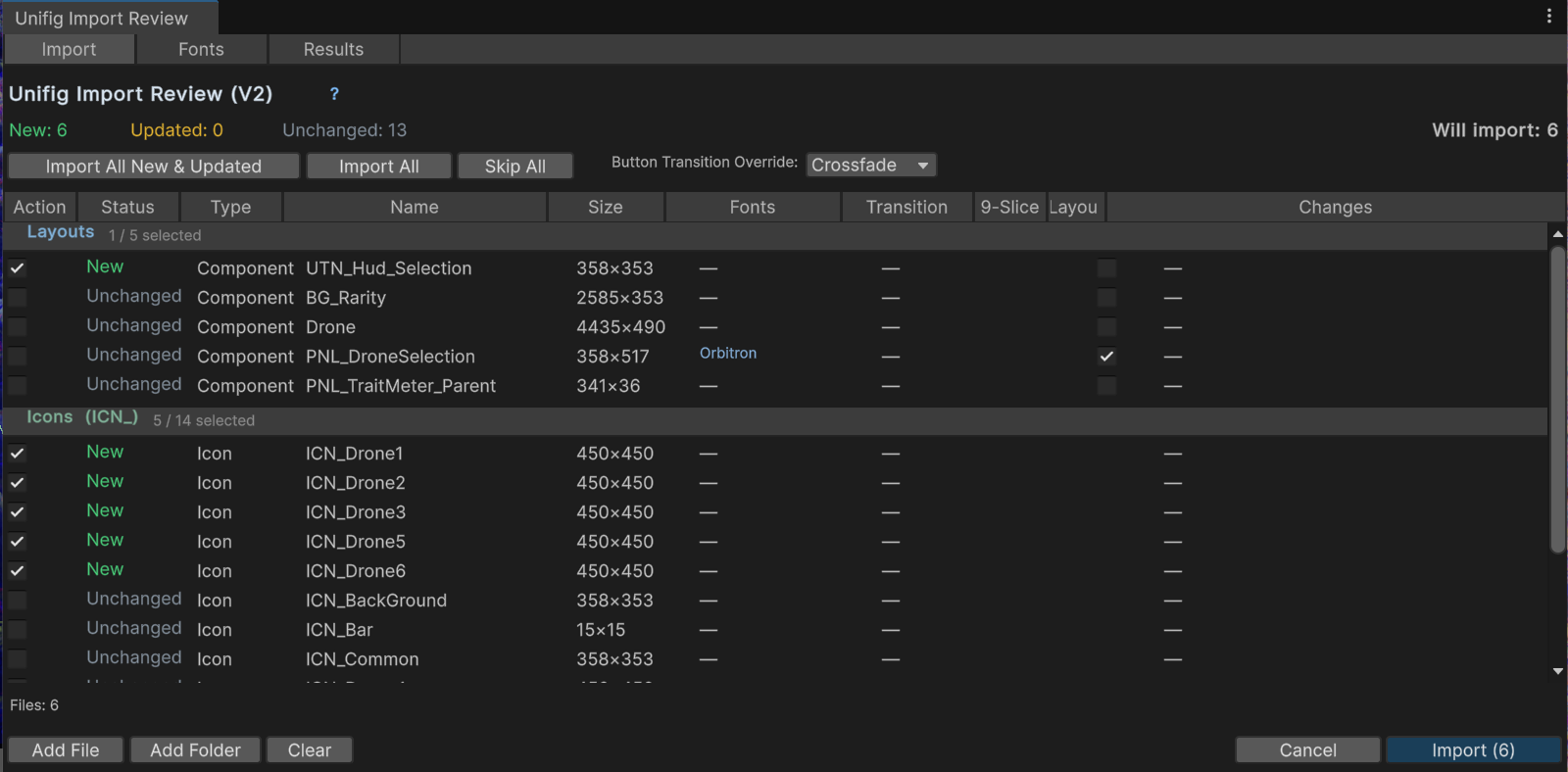
•See every layout being created or updated at a glance
•Identify which screens are new imports vs. reimports
•Select default button behaviours per import
•Review what is changing vs. what will be left untouched
Font Mapping
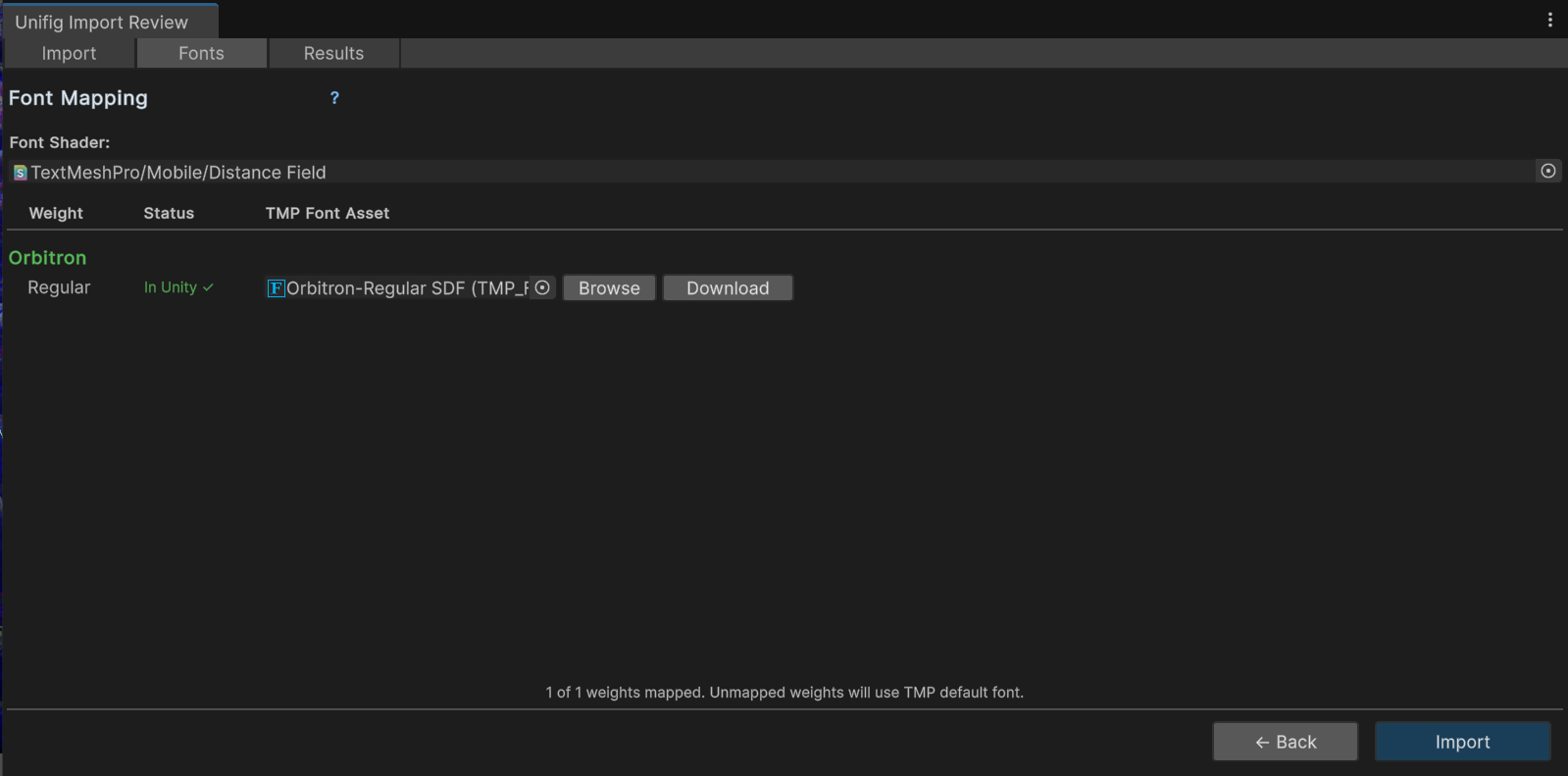
On import, users can remap any fonts from imported items to existing fonts within Unity — ensuring consistency across the project. If a font is missing entirely, it can be downloaded directly from this dialog without leaving Unity.
PREFAB Browser
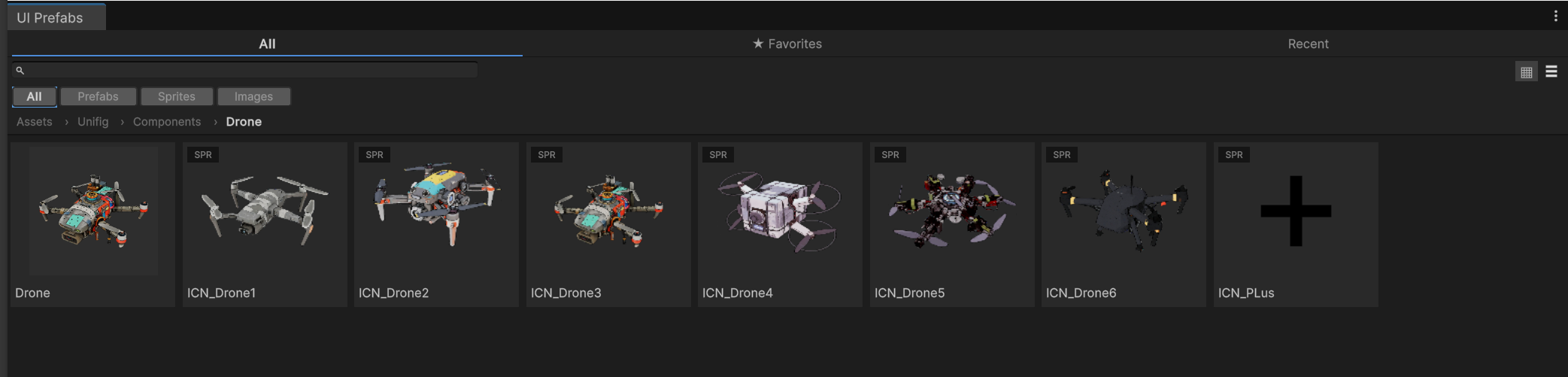
Unifig comes with a prefab browser that allows you to view entire canvases or any game object with a canvas in a browser — making it far easier to understand your assets.
1-for-1 Layout Fidelity in Unity
Unifig preserves the full auto-layout behaviour from Figma directly in Unity. What you designed is what you get — no manual cleanup, no guesswork.
•Auto-layout groups are reproduced 1-for-1 in Unity's hierarchy
•All alignment, padding, and gaps are respected exactly as defined in Figma
•Absolute positioning is preserved for elements that sit outside the flow
•Layouts scale correctly at any resolution without additional configuration
AutoGroup Script
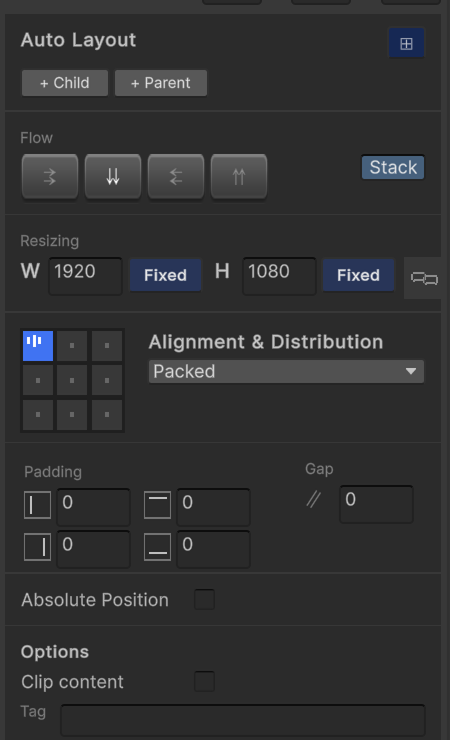
The Prefab Browser brings Figma-style structure and layout control into Unity. It lets you quickly add parent and child elements to a frame, just like nesting layers in Figma, while giving you control over how each element behaves — fixed size, stretch, or absolute positioning. It mirrors the way you think in Figma, so building and adjusting hierarchies in Unity feels intuitive instead of technical.
Non-Destructive Game Object Updating or Replacement
One of the core things Unifig is built for is letting layout artists swap GameObjects in and out without breaking anything under the hood. All scripts, serialized data, and ScriptableObject references are preserved, so the structure can change without causing downstream issues. It eliminates the usual production headaches — missing scripts, broken references, and cleanup work — and removes a major point of friction between developers and artists.